The engine, running inside the editor
Author the scene, play it, and refine it in place. The viewport and Play mode run on the engine’s own renderer and runtime.
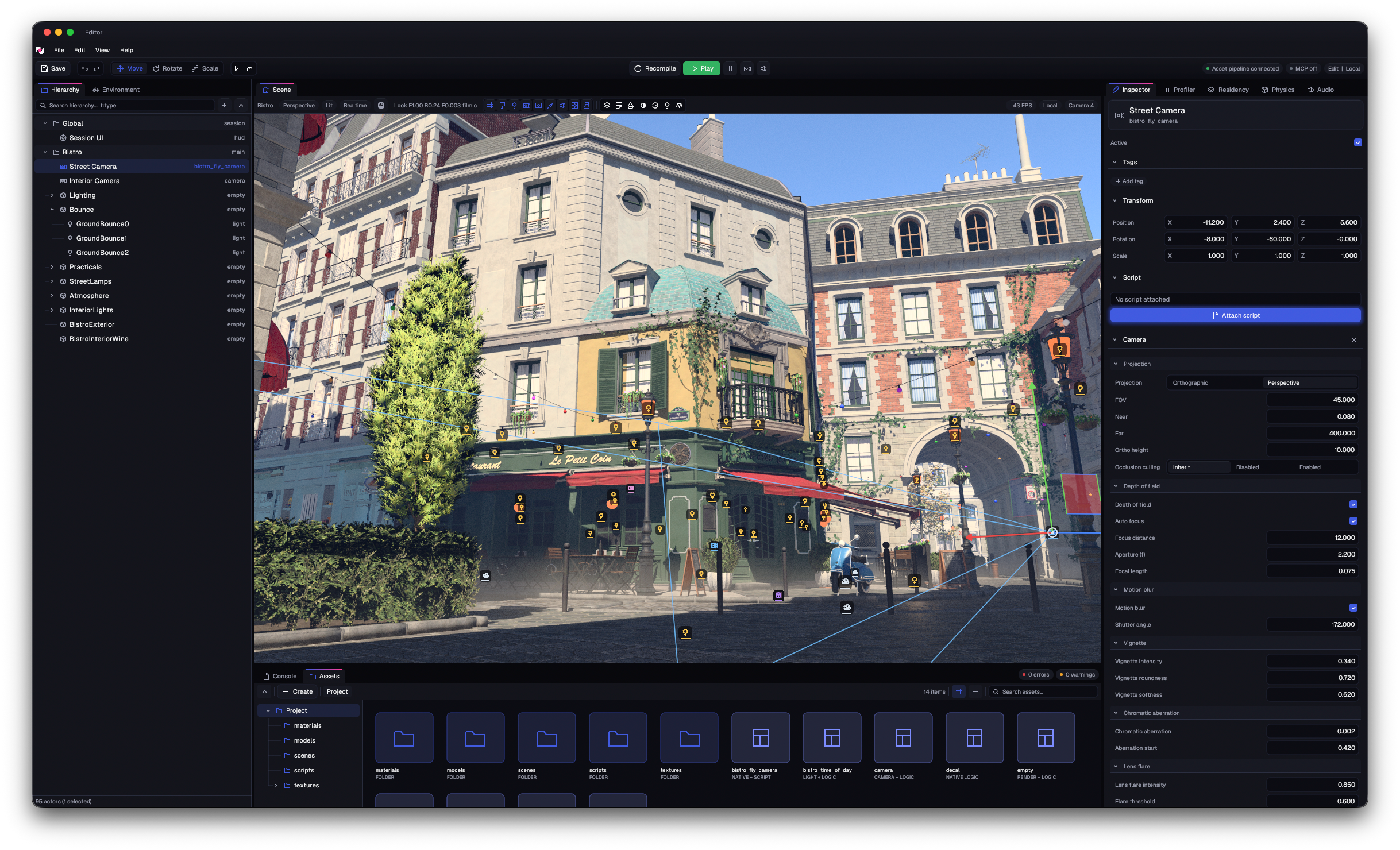
Main asset: Amazon Lumberyard Bistro by Amazon Lumberyard · via NVIDIA ORCA · CC BY 4.0
An authored scene and a separate Play world
The scene document holds your authored world. The viewport presents its live preview, while Play runs a separate world. Editing, testing, and undo each have a clear place in the workflow.
Build the scene
Arrange actors, tune components, and work with prefabs. Undo and redo keep your edits reversible.
Play in a separate world
Run the game in a separate Play world. Stop returns you to your authored scene.
Recompile in place
Rebuild game logic in Edit mode while the scene stays open. Asset watching brings changed content back into the editor.
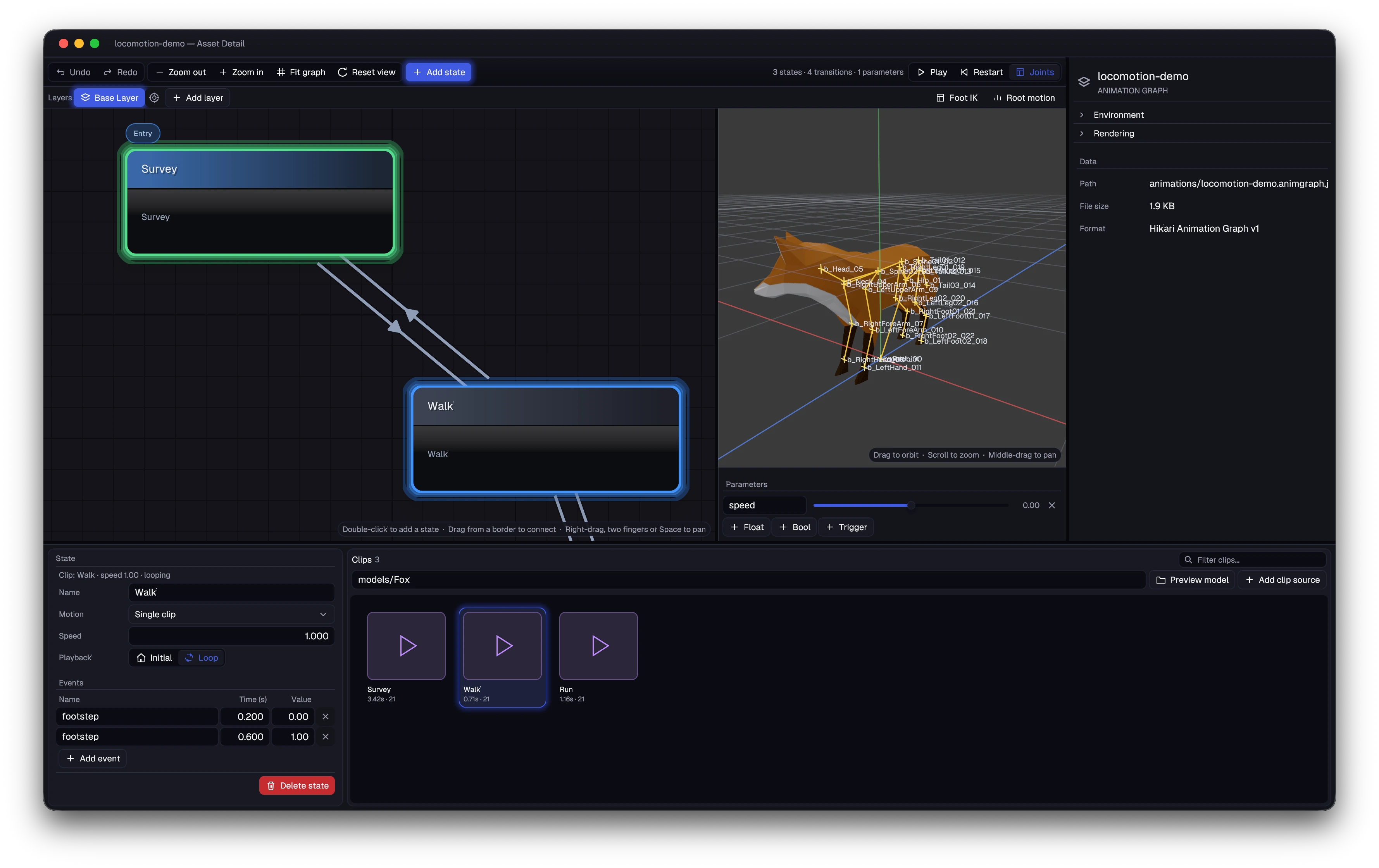
Animation graphs, previewed beside the character
Build motion from named clips and connected states. Conditions and parameters drive transitions, with a character preview beside the graph to make the result visible while you work.
The Fox example moves between Survey, Walk, and Run using a speed parameter. Gameplay can drive graph parameters through Zig or Kawa.
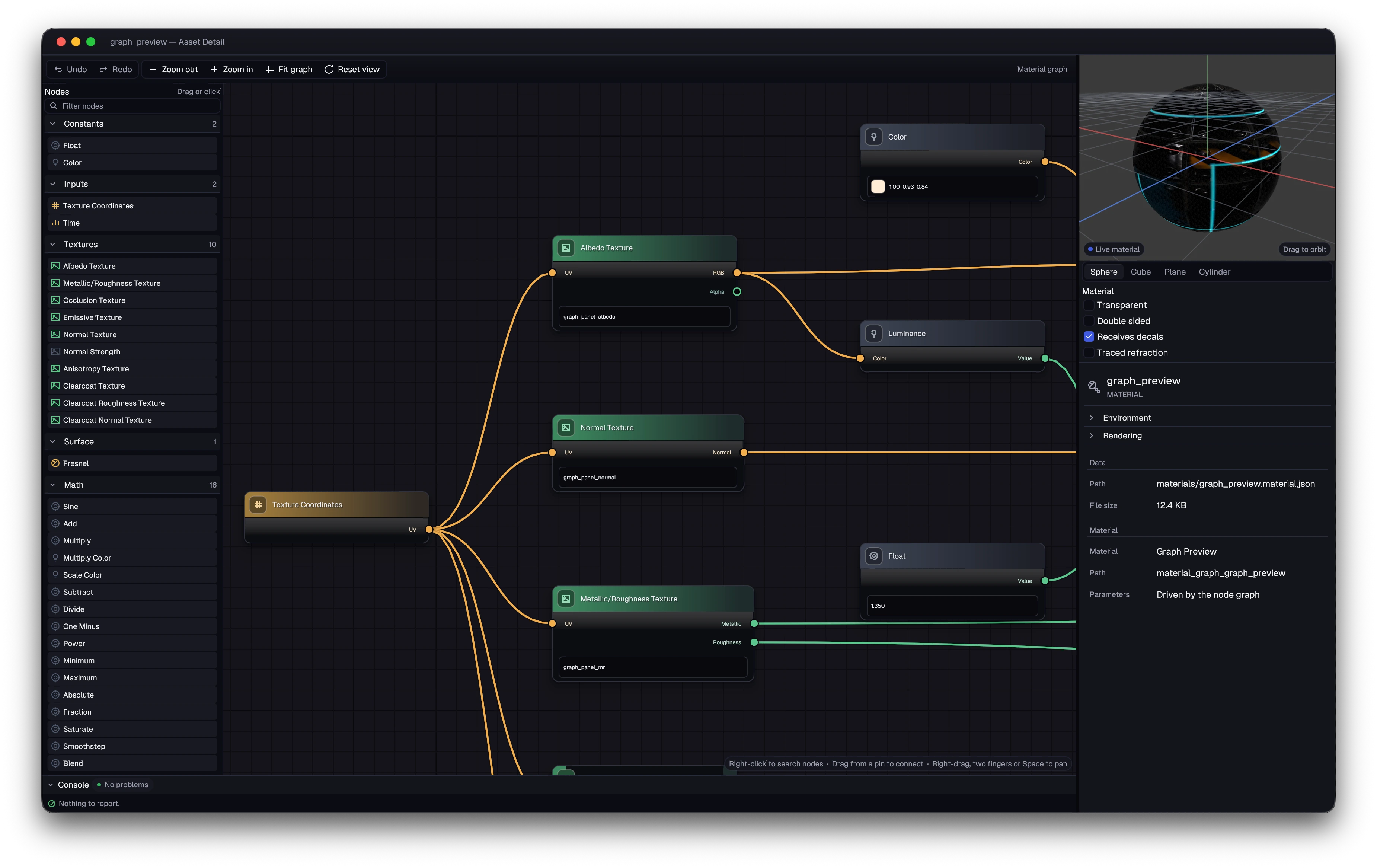
Material graphs with a live preview
Build surface and volume materials as graphs, with a live preview for iteration. Shared shader packages carry those materials into the renderer.
Akari takes one shader source through to Metal, Direct3D, and Vulkan. Its Vulkan target uses descriptor-set bindings and bindless arrays, compiling Vulkan-specific HLSL through DXC into SPIR-V for Vulkan 1.3.
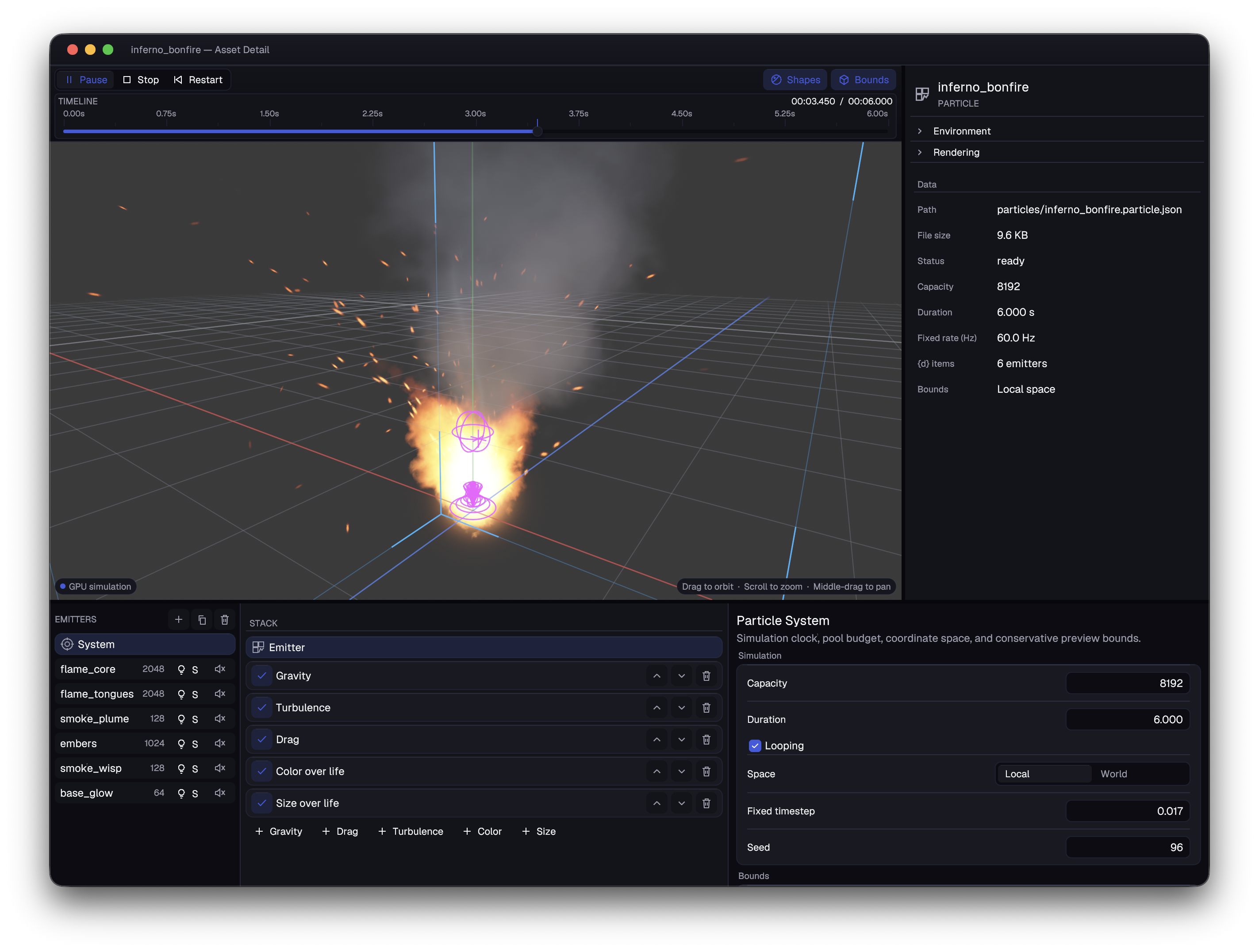
GPU particle editor
Layer emitters for flame, smoke, and embers. Tune gravity, turbulence, drag, and colour over life against a live GPU preview.
Playback controls, emitter shapes, and visible bounds keep the effect easy to inspect as you refine it.