Game engine · In development
Bring worldsto light.
A GPU-driven renderer, a live editor, and an agent that works in your project.
Native code, written in Zig
Explicit memory ownership and a dedicated render thread.
GPU-driven geometry
Compute culls meshlets and writes the draw arguments, on Metal 4 and Direct3D 12 alike.
Recompile without restarting
Edit scenes, test in Play, and rebuild game code while the editor stays open.
The GPU decides what gets drawn
Bindless resources, meshlet culling, ray tracing, screen-space effects, and froxel volumetrics, all reading the same scene data.
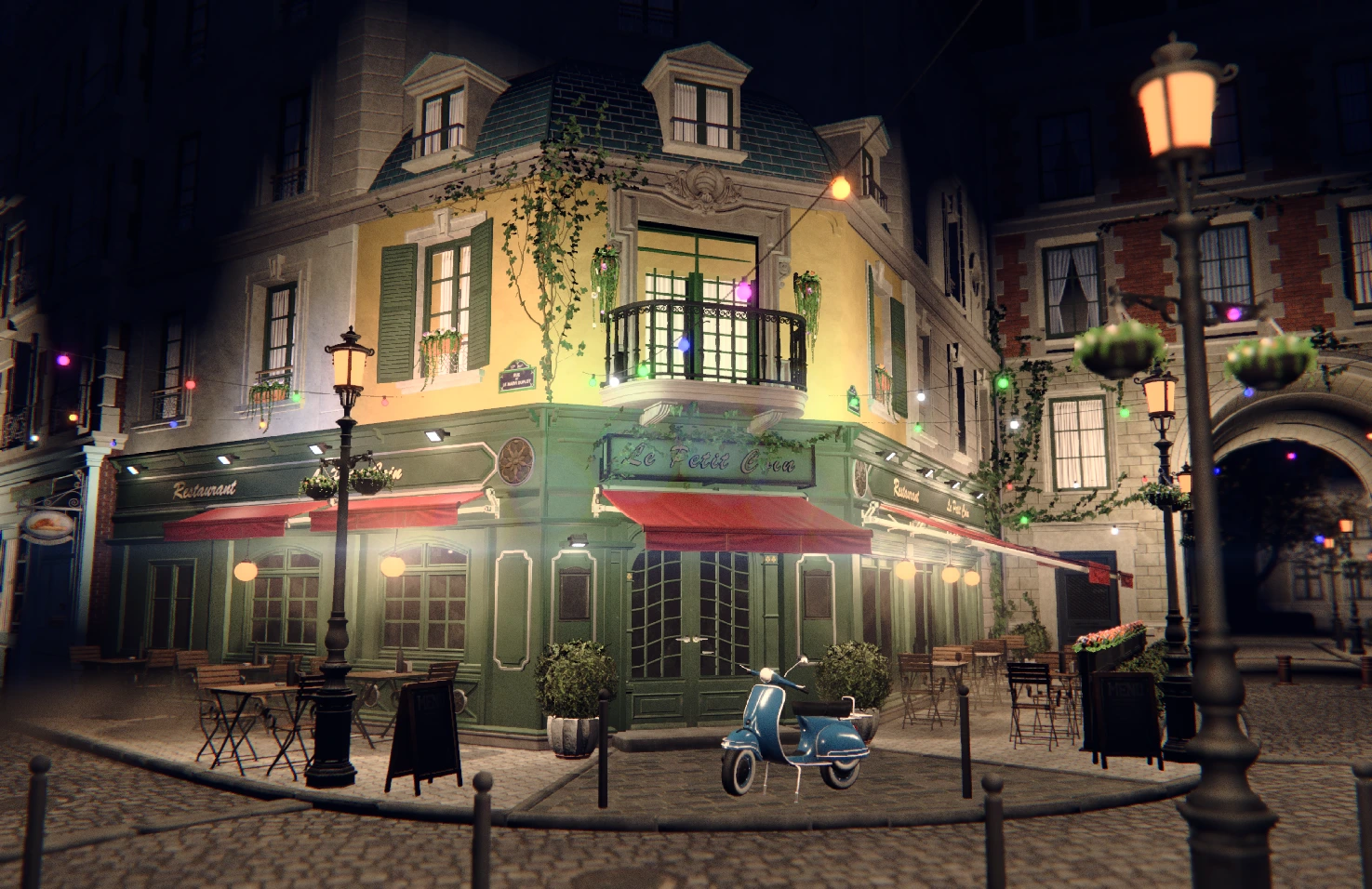
Main asset: Amazon Lumberyard Bistro by Amazon Lumberyard · via NVIDIA ORCA · CC BY 4.0
- Bindless resources
- Geometry, materials, and textures live in GPU tables. Shared resource indices replace per-material texture rebinding.
- GPU-driven submission
- Compute builds the visible geometry streams and indirect draw arguments. The GPU drives scene-mesh submission.
- Meshlet culling
- Meshlets bring frustum, backface-cone, and two-phase Hi-Z culling to the GPU. Shadows use the same geometry-pulling architecture.
- Ray tracing
- Ray-traced shadows, ambient occlusion, reflections, and global illumination share the renderer’s material and geometry data.
- Screen-space effects
- SSAO, SSGI, and hierarchical screen-space reflections add contact, bounce light, and surface detail, with configurable quality budgets.
- Froxel volumetrics
- Froxel volumetrics integrate light through fog and bounded media. Shape shafts, local smoke, and atmosphere with volume materials.
Debug views
Meshlets
Colour-coded geometry reveals the clusters the GPU works with.
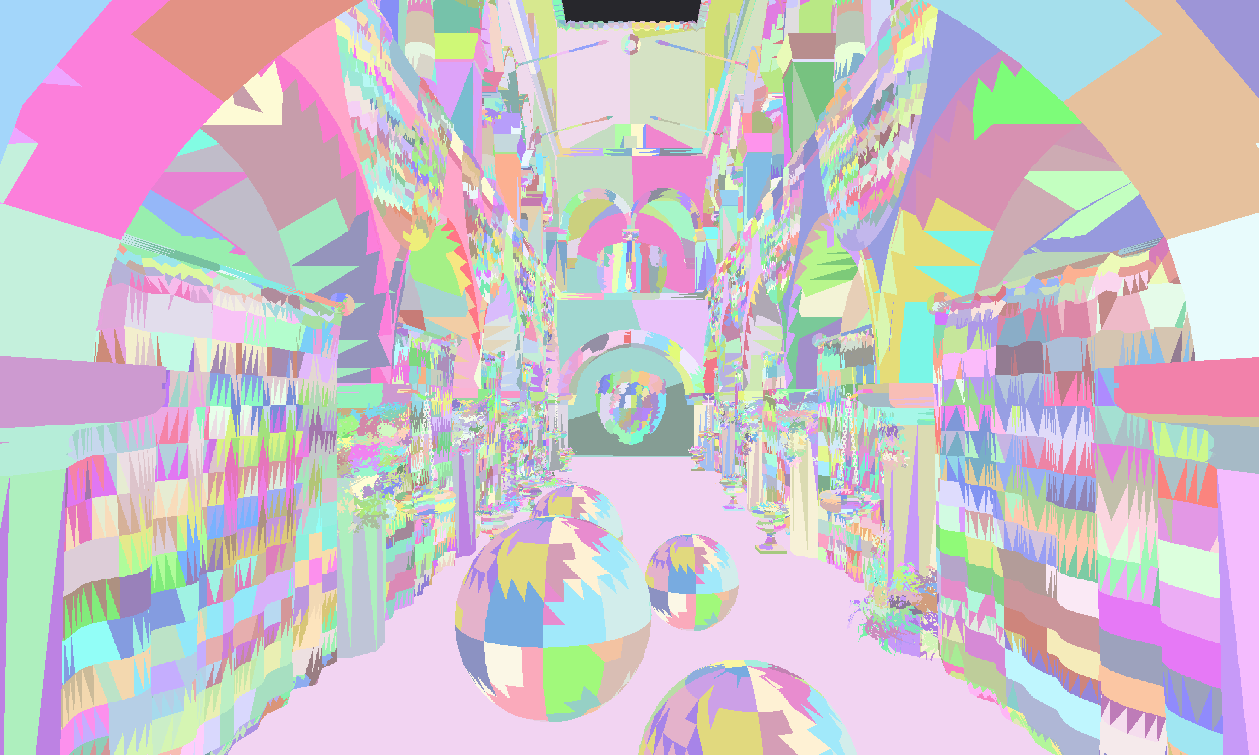
Main asset: Sponza Atrium by Frank Meinl / Crytek · License: source unverified
Render buffers
Inspect surface colour, normals, depth, and the layers behind the final image.
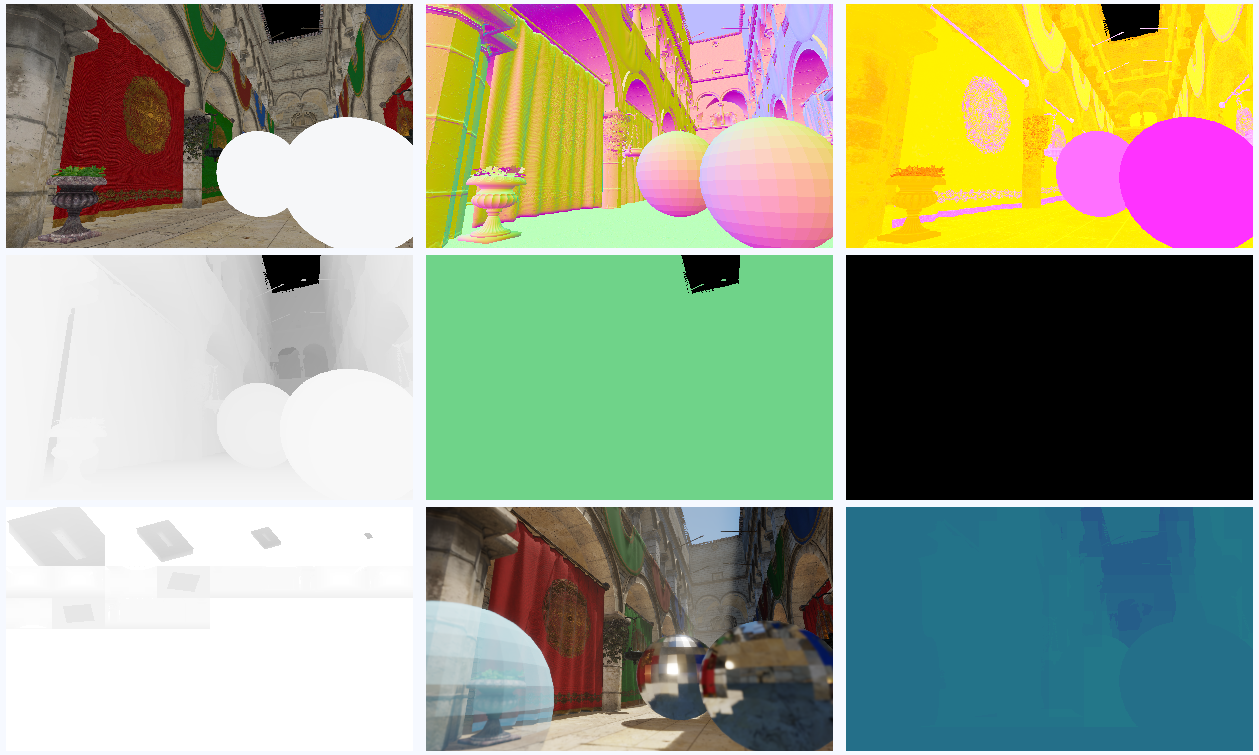
Main asset: Sponza Atrium by Frank Meinl / Crytek · License: source unverified
One shared rendering architecture. Native Metal 4 and Direct3D 12 backends.
Renderer overviewStylized scenes, same renderer
Saturated colour, warm light, and soft haze. A stylized Japanese street, rendered by the same pipeline as the Bistro captures.
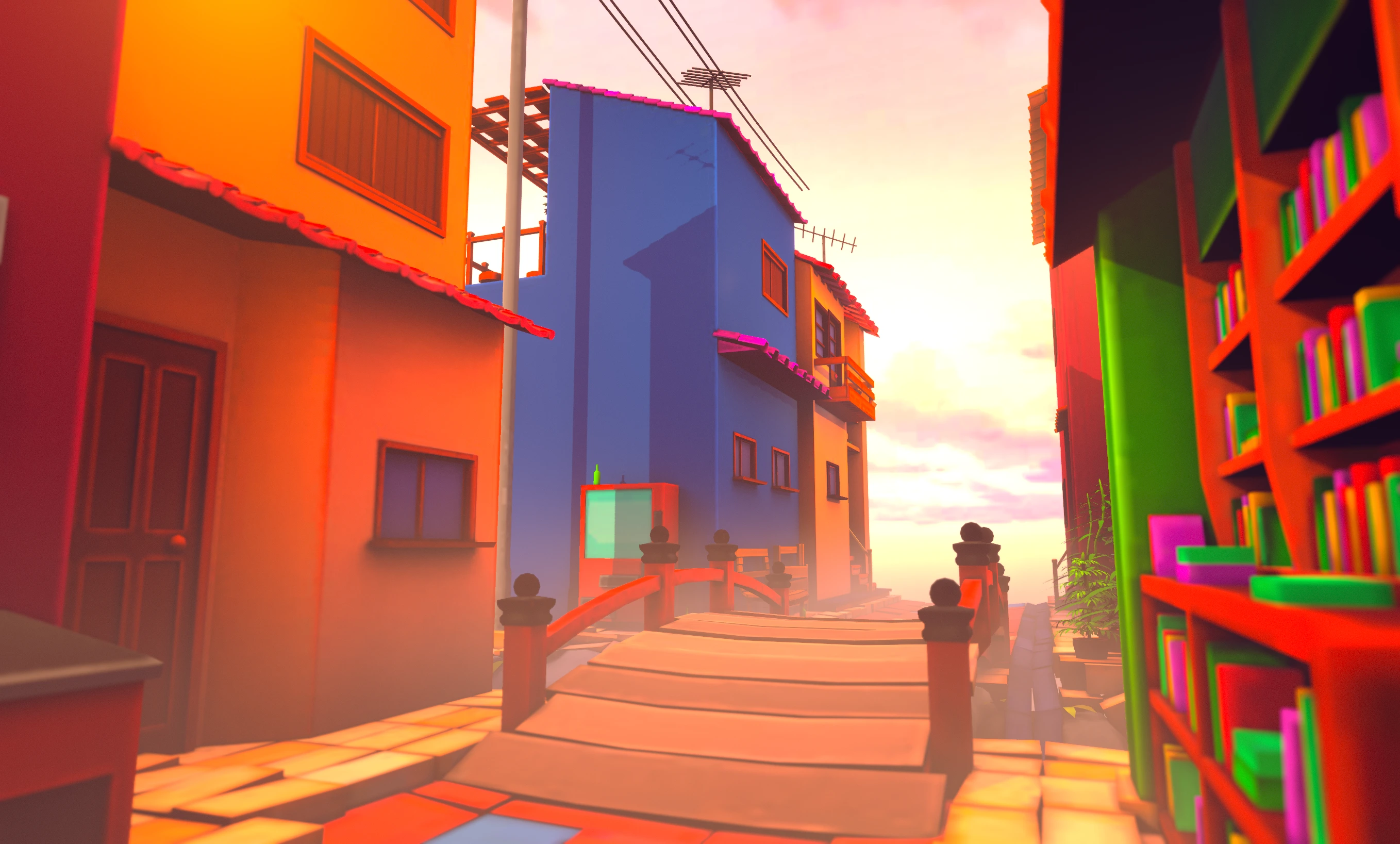
Main asset: Stylized Little Japanese Town Street by Michał Solarek · CC Attribution
Light that fills the air
Froxel volumetrics scatter light through fog and haze, and shadows carry into the volume.
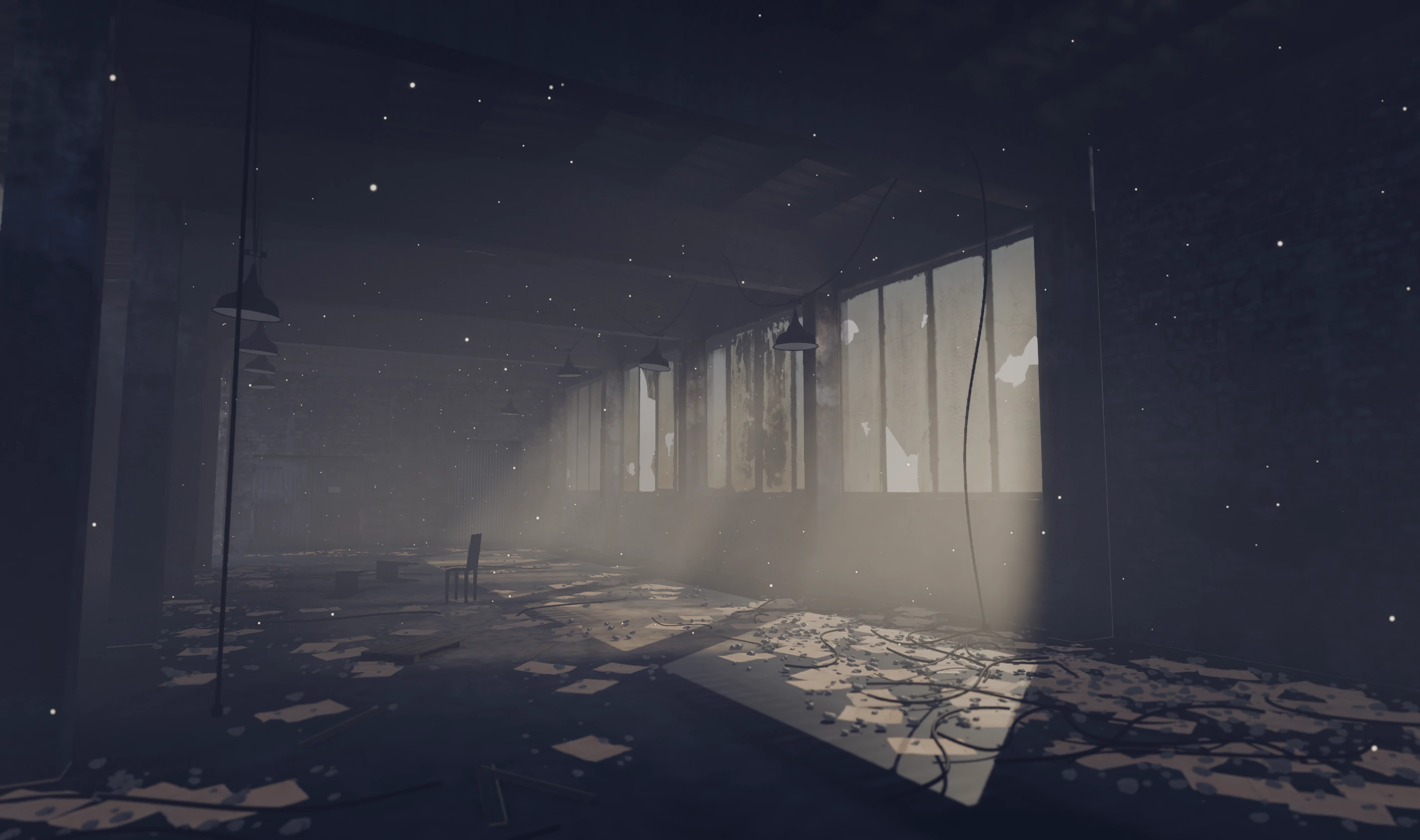
Main asset: Abandoned Warehouse - Interior Scene by Aurélien Martel · CC Attribution
Froxel grid
A camera-aligned froxel grid integrates light through fog and local volumes.
Shadowed scattering
Scene lights and shadow maps shape scattering, shafts, and depth.
Authored volumes
Combine global fog with bounded volumes and graph-authored volume materials.
HDR output that follows the display
A linear-light pipeline from scene to screen. Hikari adapts HDR output to the display, keeping bright highlights expressive and everyday UI comfortable.
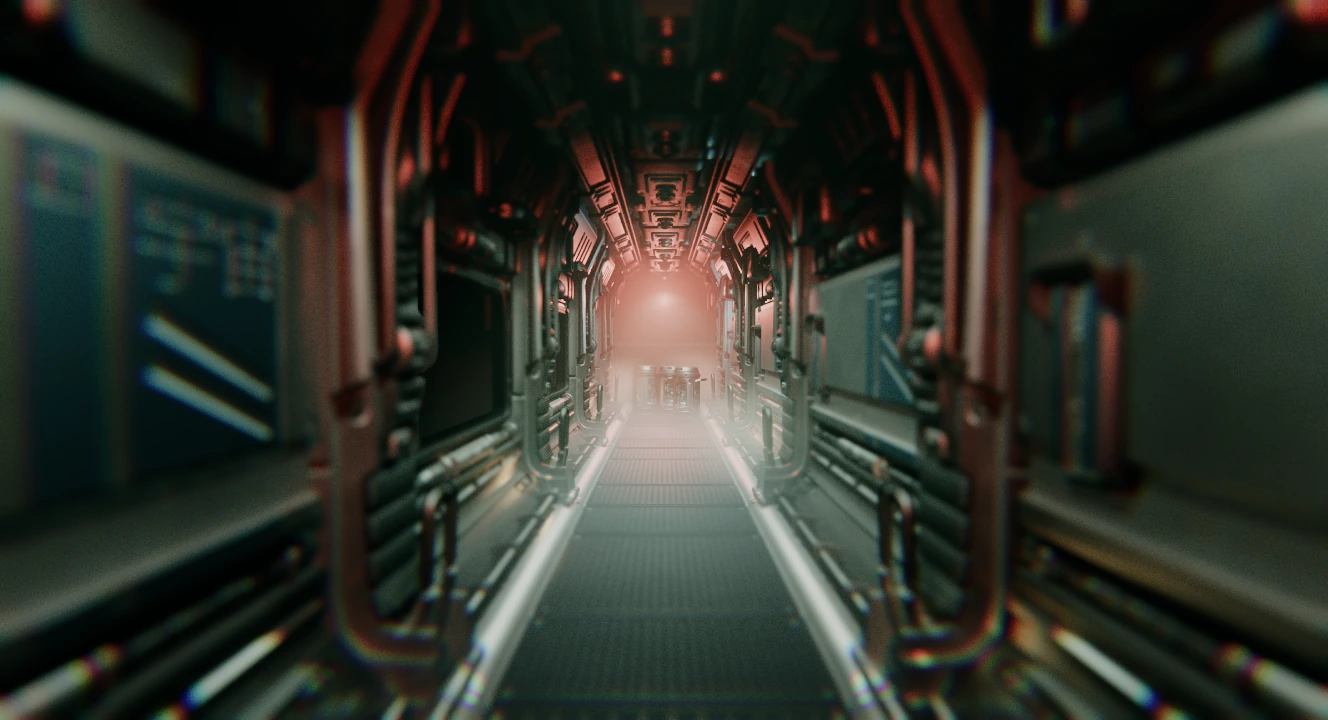
Main asset: Spaceship Corridor by the_table · CC Attribution
- Peak-aware tone mapping
- Display-aware tone mapping and BT.2390 roll-off fit highlights to the screen’s current peak brightness.
- Paper-white reference
- UI and diffuse white share a configurable brightness reference, independent of HDR highlights.
- Automatic HDR and SDR
- Detects OS-enabled HDR, falls back to SDR, and switches live without restarting the engine.
Edit, play, and recompile in one session
Scene authoring and the live runtime share one editor. Scene, asset, and code changes arrive without a restart.
Build the scene
Arrange actors, tune components, and work with prefabs. Undo and redo keep your edits reversible.
Play in a separate world
Run the game in a separate Play world. Stop returns you to your authored scene.
Recompile in place
Rebuild game logic in Edit mode while the scene stays open. Asset watching brings changed content back into the editor.
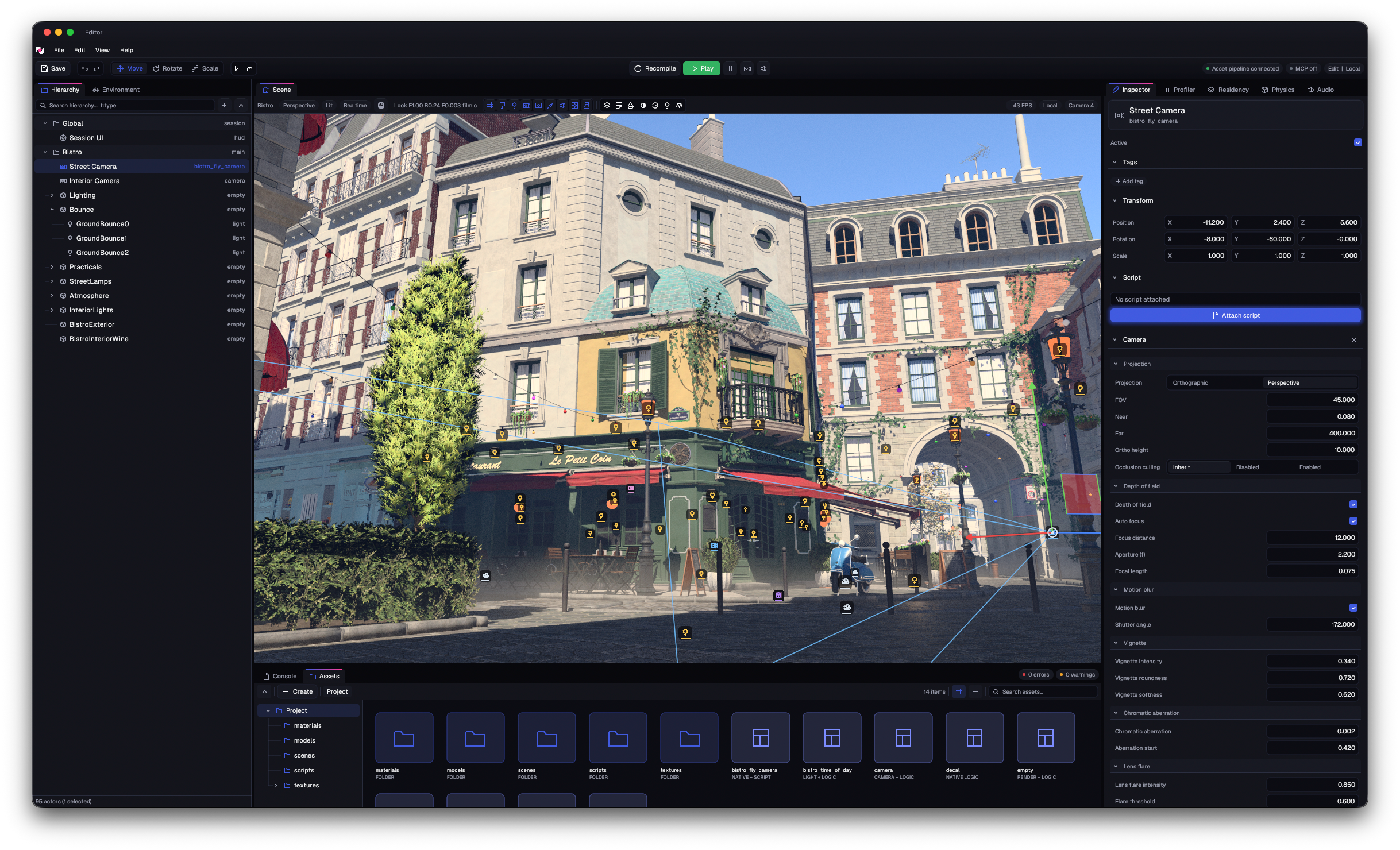
Main asset: Amazon Lumberyard Bistro by Amazon Lumberyard · via NVIDIA ORCA · CC BY 4.0
Material, animation, and particle tools · Profiling · Extensible panels · Local MCP integration
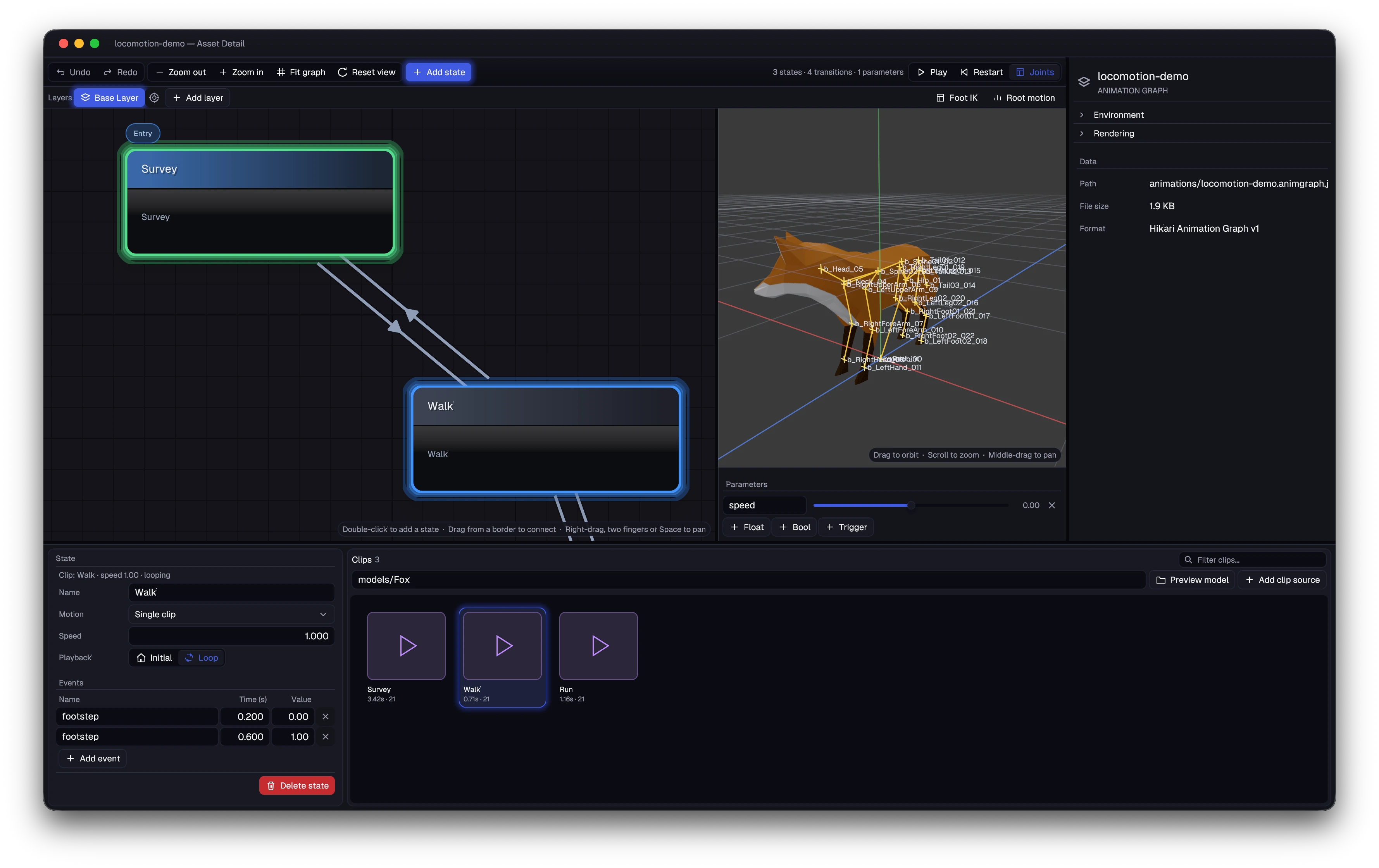
Animation graphs, previewed beside the character
Material graphs with a live preview
Build materials as graphs, inspect them in the live preview, and author custom shaders in Akari for Metal, Direct3D, and Vulkan/SPIR-V.
Shader authoring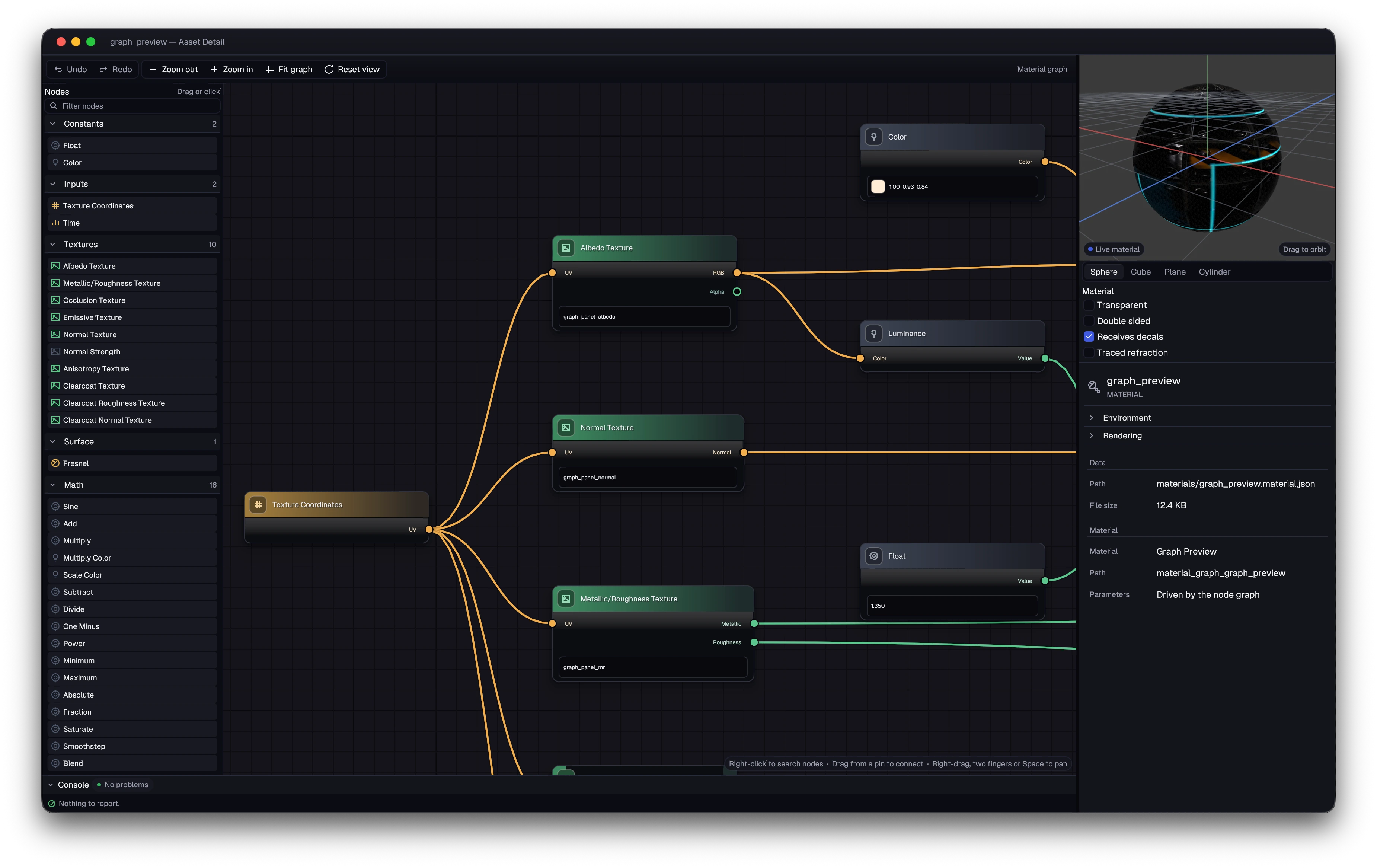
Game UI, built visually or in Zig
Build screens visually with live previews, device presets, and editable properties. Bind them to your game, or create the entire interface directly in Zig. Both use the same native UI framework.
UI framework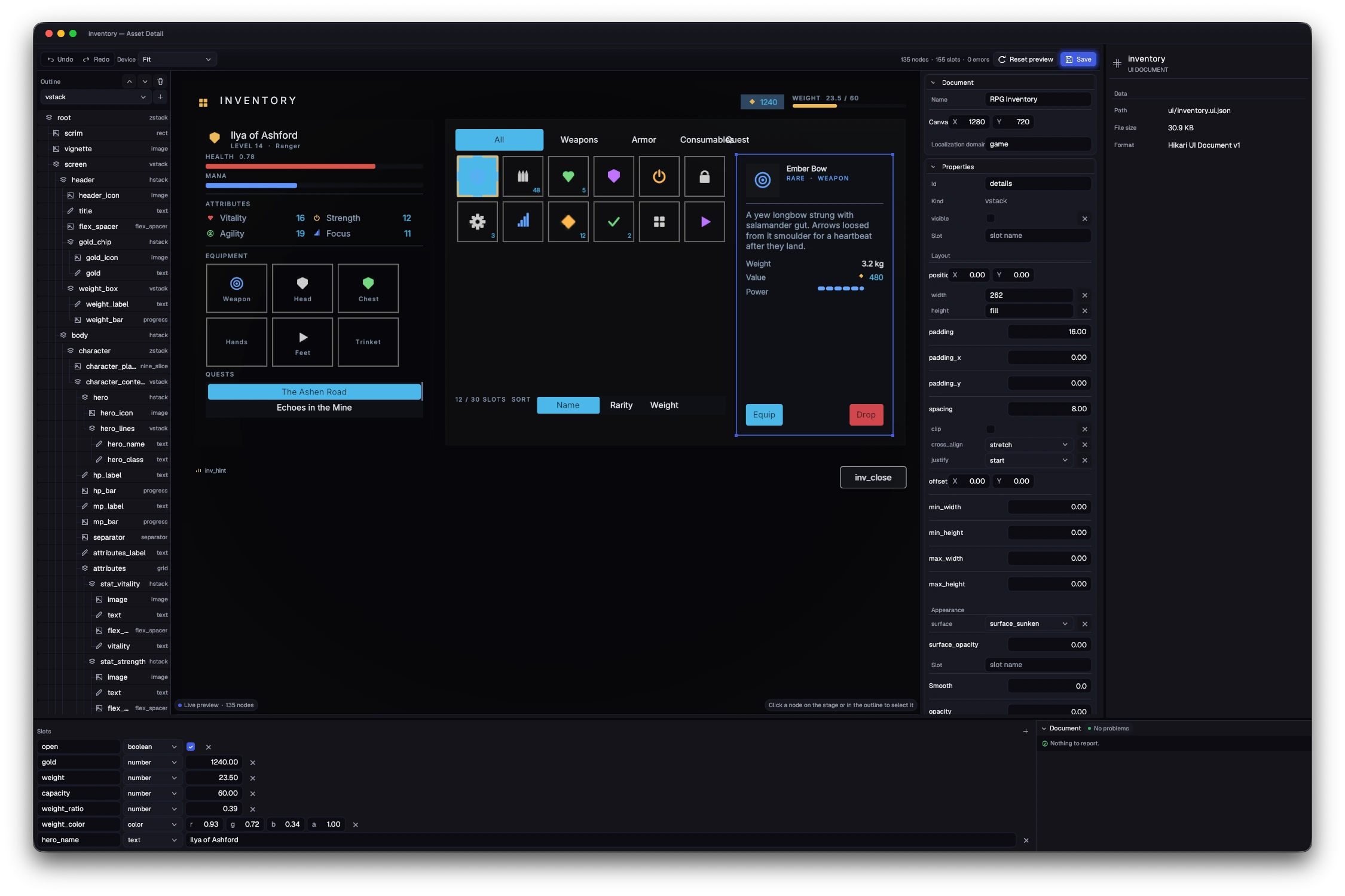
Adaptive layout
Stacks, grids, wrapping rows, and flexible sizing. Build HUDs, menus, and world-space labels with the same layout tools.
Typed data slots
Named, typed slots carry game data into the screen; widget events flow back to code. Hot reload updates the layout while keeping slot values.
Keyboard and gamepad focus
Keyboard and gamepad focus navigation, scrolling, and modals are built in. Virtual lists build only the items in view.
Themes and rich text
Themes, custom fonts, rich text, and nine-slice artwork. Add localized text and transitions, with UI scaling and reduced-motion preferences.
Writing UI in code
Use hi.ui() to compose widgets directly in Zig and handle their results immediately. The visual editor is optional.
An MCP server inside the editor
Connect an AI agent to the running editor through the Model Context Protocol. It reads the same scene, asset, and project data you do.
Your AI agentMCPHikari Editor
MCP interface- Scenes and prefabs
- Inspect actors and component schemas. Create scenes, edit prefabs, and apply coordinated changes.
- Assets and graphs
- Create and import assets. Author materials, animation graphs, and particle systems through structured tools.
- Project settings
- Work with project settings, plugins, gameplay tags, and asset import options.
- Viewport and console
- Position the camera, frame a subject, capture the rendered viewport, and inspect console output.
Edits follow editor rules. Agent edits use native validation, conflict checks, and undoable scene operations. Activity is recorded in the project audit log.
Enable MCP in Editor Settings and copy the connection configuration to your agent. Local access, authenticated per project.
Six tools, one build
From source assets to a playable build, each part has one job. Kaji conducts the build.
Hikari
ZigNative runtime, rendering, and editor.
Shinra
RustAsset cooking, watching, and packaging.
Akari
RustOne shader language for Metal, Direct3D, and Vulkan/SPIR-V.
Kawa
CEmbedded scripting for game logic.
Tenkai3D
Odin3D physics and character controllers.
Kaji
C# / .NETOne build flow for games and the editor.
Compose an actor from the capabilities it needs.
const hi = @import("hikari_game");

pub const BeaconEntity = hi.defineEntity(.{
    .archetype = "beacon",
    .components = .{ hi.ComponentRender, hi.ComponentLight },
});In active development
Hikari runs on macOS and Windows today. The documentation covers the systems, tools, and design behind the engine.